
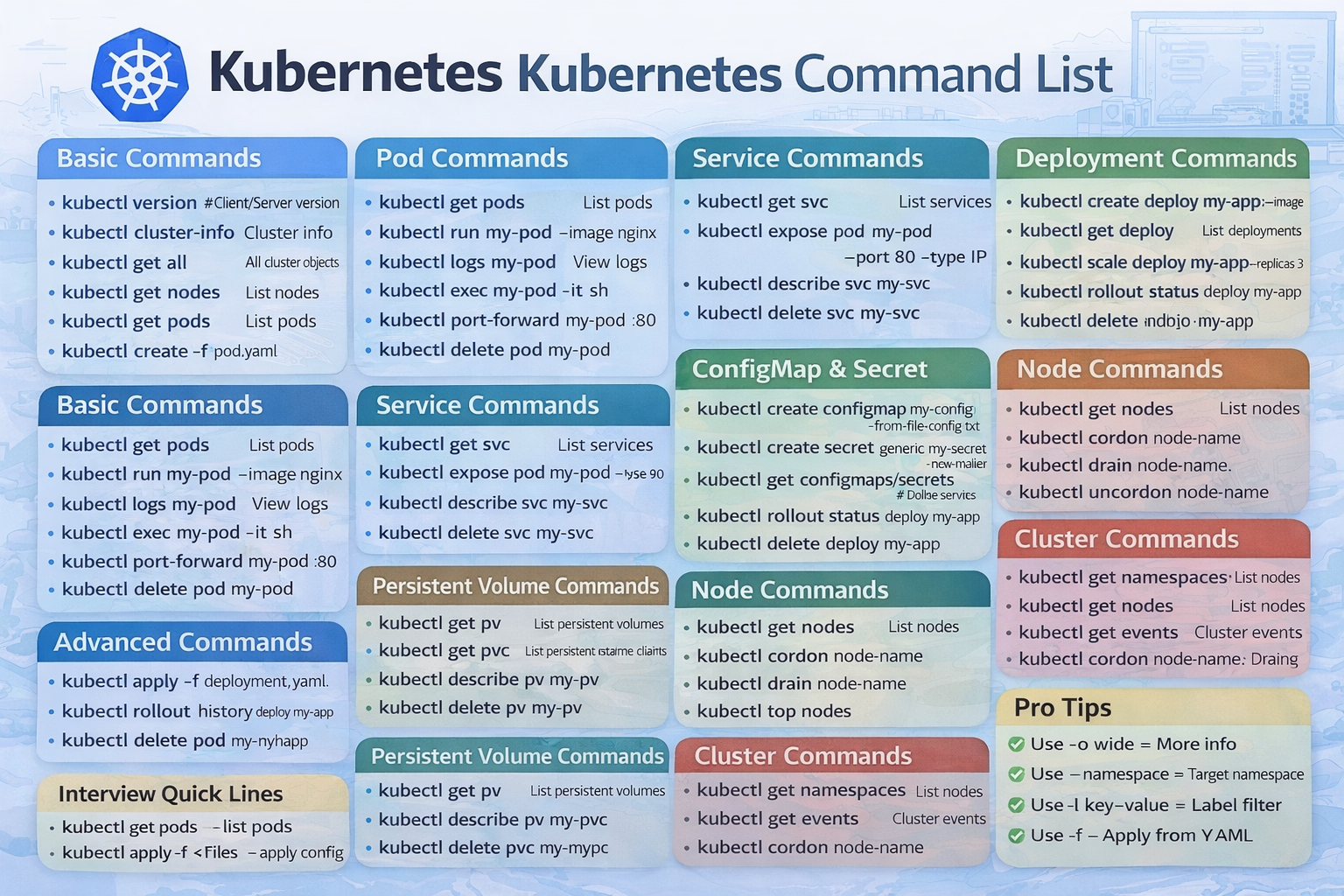
kubectl version # Check version
kubectl cluster-info # Cluster info
kubectl get nodes # List nodes
kubectl get pods # List pods
kubectl get all # All resources
kubectl get namespaces # List namespaces
kubectl run mypod --image=nginx # Create pod
kubectl get pods # List pods
kubectl describe pod mypod # Pod details
kubectl logs mypod # View logs
kubectl logs -f mypod # Live logs
kubectl exec -it mypod -- bash # Enter pod
kubectl delete pod mypod # Delete pod
kubectl port-forward mypod 8080:80 # Access locally
kubectl get svc # List services
kubectl expose pod mypod --port=80 --type=NodePort
kubectl describe svc myservice # Service details
kubectl delete svc myservice # Delete service
kubectl create deployment myapp --image=nginx
kubectl get deployments
kubectl describe deployment myapp
kubectl scale deployment myapp --replicas=3
kubectl rollout status deployment myapp
kubectl rollout history deployment myapp
kubectl rollout undo deployment myapp
kubectl delete deployment myapp
kubectl apply -f deployment.yaml
kubectl apply -f service.yaml
kubectl delete -f deployment.yaml
kubectl get -f deployment.yaml
kubectl create configmap myconfig --from-literal=key=value
kubectl get configmaps
kubectl describe configmap myconfig
kubectl create secret generic mysecret --from-literal=password=123
kubectl get secrets
kubectl describe secret mysecret
kubectl get pv
kubectl get pvc
kubectl describe pv mypv
kubectl describe pvc mypvc
kubectl delete pvc mypvc
kubectl get nodes
kubectl cordon node-name # Mark unschedulable
kubectl drain node-name # Drain node
kubectl uncordon node-name # Enable scheduling
kubectl top nodes
kubectl top pods
kubectl get events
kubectl describe pod mypod
kubectl create namespace dev
kubectl get namespaces
kubectl config set-context --current --namespace=dev
kubectl delete namespace dev
kubectl edit deployment myapp
kubectl patch deployment myapp -p '{"spec":{"replicas":5}}'
kubectl label pod mypod env=prod
kubectl get pods -o wide
kubectl get pods -o yaml
kubectl apply -k ./kustomize
👉 kubectl get pods → list pods
👉 kubectl apply -f → create/update resources
👉 kubectl logs → check logs
👉 kubectl exec → access container
✔ -n dev → specific namespace
✔ -o wide → detailed output
✔ -f → file apply
✔ --watch → live changes
👉 Kubernetes = container orchestration king 👑
👉 Docker + Kubernetes = complete DevOps stack

Content is an essential aspect of any digital marketing campaign. The Marketing of ourInstitute offers some of the best advice around in terms of how content can help your brand. From industry trends to best practices, their posts offer helpful advice on how to create the best strategies for your business and how your content marketing what can i do for you everyday should role.


Sign up to our newsletter to receive our latest news and products. Stay updated on the latest developments and special